Test Fonts
A diagnostic utility mode that cycles through all registered bitmap fonts, rendering sample text in each one. Use it to verify font rendering, compare glyph coverage, and confirm that newly added fonts display correctly on your panel.
Quick Start
How It Works
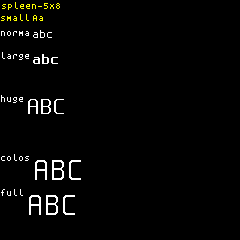
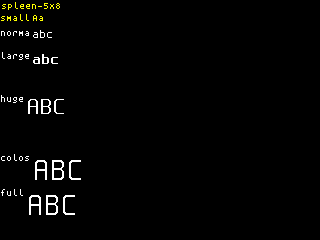
The test fonts mode iterates through every font registered in the CyberHUD font registry and displays a set of sample text lines for each:
- UPPERCASE —
ABCDEFGHIJKLMNOPQRSTUVWXYZ - lowercase —
abcdefghijklmnopqrstuvwxyz - Digits —
0123456789 - Symbols —
!@#$%^&*()-+=[]{}|;:',.<>/?
Each font is displayed for 8 seconds total, cycling through four color phases:
- White — 2 seconds
- Blue — 2 seconds
- Green — 2 seconds
- Red — 2 seconds
After all four color phases complete for a font, the mode advances to the next registered font and repeats the cycle. This continues indefinitely, looping back to the first font after the last one is shown.
The color cycling helps verify that glyphs render cleanly against a dark background in each color channel, making it easy to spot rendering artifacts or misaligned pixels.
Options
This mode has no configurable options.
Panel Compatibility
The test fonts mode is non-interactive and ignores all input actions. Works on all panels. Useful for verifying font rendering on any display type.
Related Pages
- Display Modes — overview of all available modes
- Test Pattern — fixed diagnostic pattern for validating screen configuration
Snapshots
Color
Mono