USB Bench
USB device monitor. Lists connected USB devices with vendor/product identification and detects hot-plug events for real-time updates.
Identify devices immediately without having to log in and run lsusb or dmesg. The USB bench mode is ideal for quickly checking the ID of that USB device.
Quick Start
How It Works
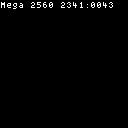
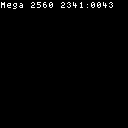
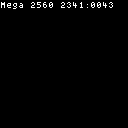
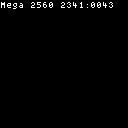
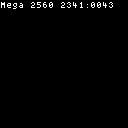
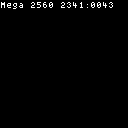
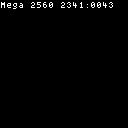
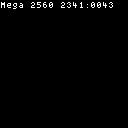
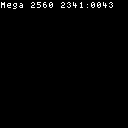
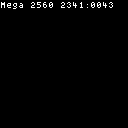
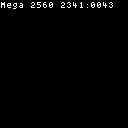
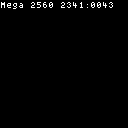
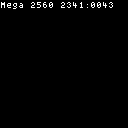
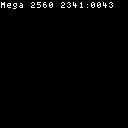
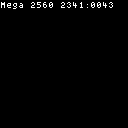
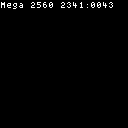
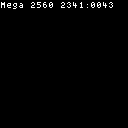
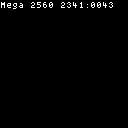
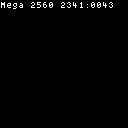
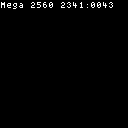
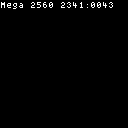
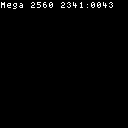
The USB bench mode monitors the Linux sysfs USB device tree and renders the most recently connected device as a multi-row information card showing manufacturer name, product name, VID:PID identifiers, bus/device numbers, serial number (when available), and connection status. The layout arranges these detail rows vertically with the device name as a prominent first row.
The display updates via a dual mechanism: a configurable polling interval (poll_ms, default 500 ms) that scans /sys/bus/usb/devices for device changes, combined with instant notifications from Linux kernel uevents when available. A redraw occurs only when the device state actually changes (new connection, disconnection, or policy update) — identical consecutive scans are deduplicated via a sequence counter.
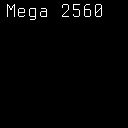
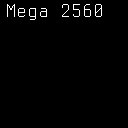
The data source is the Linux sysfs filesystem at /sys/bus/usb/devices, where each USB device exposes manufacturer, product, idVendor, idProduct, busnum, devnum, and serial attributes. When no USB device has been connected since mode activation, the display shows "Waiting for USB device..." with a "Plug device into bench" prompt. Root hub entries are hidden by default to focus on actual peripherals.
The style option controls the visual layout:
- default — full device card with icon, all detail rows (name, VID:PID, bus/dev, serial, status), and a connection LED indicator. Optimized for panels 240×240 and above.
- compact — condensed single-device summary with fewer detail rows and smaller font, suited for narrower panels or when you only need quick device identification.
Tip
Set hide_root_hubs to true (the default) to filter out USB root hub entries and reduce noise in the device list. This keeps the display focused on actual peripherals.
Options
| Key | Type | Description | Default | Allowed Values |
|---|---|---|---|---|
| poll_ms | int | Polling interval in milliseconds for device tree updates | 500 | any positive integer |
| hold_unplugged_ms | int | How long to keep showing a device after it disconnects (0 = remove immediately) | 0 | any non-negative integer |
| hide_root_hubs | bool | Whether to hide USB root hub entries from the list | true | true, false |
| style | string | Visual layout for the device list | default | default, compact |
Configure options via the CLI:
CLI Examples
Activate the USB bench mode on the main region:
Set the polling interval to 1 second:
Keep unplugged devices visible for 3 seconds:
Show root hubs in the device list:
Switch to compact layout:
Combine options for a quick-scan setup:
Query current USB mode settings:
Panel Compatibility
The USB mode is non-interactive and works on all panels without requiring input controls. It renders a list of detected USB devices with bus/address information and product strings. On monochrome panels, all device entries render in the native foreground color without differentiation. On slow-refresh panels, the display updates only when USB device changes are detected (hotplug events).
| Capability | Description | Behavior |
|---|---|---|
| MonoFast | Fast-refresh monochrome OLED (128×32, 128×64, 128×128) | Fully supported — compact USB device list in white text |
| MonoSlow | Slow-refresh monochrome e-ink (122×250, 176×264, 200×200, 296×128, 400×300, 480×800, 800×480) | Fully supported — static device list, updates on hotplug events |
| GrayscaleFast | Fast-refresh grayscale (160×80, 240×135, 240×240, 320×240, 480×320, 800×480) | Fully supported — grayscale text device list with periodic refresh |
| GrayscaleSlow | Slow-refresh grayscale e-ink (122×250, 176×264, 200×200, 400×300, 800×480) | Fully supported — static device list, updates on hotplug events |
| ColorFast | Fast-refresh color TFT (128×128, 160×80, 240×135, 240×240, 320×240, 480×320, 800×480) | Fully supported — full color device list with periodic refresh |
| ColorSlow | Slow-refresh color e-ink (122×250, 176×264, 200×200, 400×300, 800×480) | Fully supported — static color device list, updates on hotplug events |
Related Pages
- Display Modes — overview of all available modes
- Getting Started: CLI Usage — introduction to
cyberhudctlcommands - Configuration — persistent configuration options
- Serial — monitors serial devices connected via USB
Snapshots
Color
Grayscale
Mono