Test Pattern
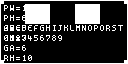
A fixed diagnostic pattern for validating screen configuration. Renders border alignment markers, color verification swatches, a text readability grid, widget layout guide lines, and an overlay showing the active TextHints values. The pattern is entirely static and deterministic.
Quick Start
How It Works
The test pattern renders a fixed set of visual elements designed to verify that your panel's display configuration is correct. Each element targets a specific aspect of the rendering pipeline:
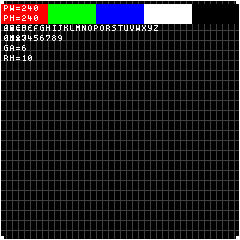
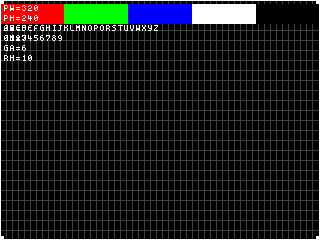
- Border alignment — A 1-pixel border with 4×4 corner markers confirms no pixels are clipped by offset or dimension misconfiguration.
- Color fidelity — Five color swatches (red, green, blue, white, black) confirm the panel renders in the expected color mode.
- Text readability — Rows of A-Z and 0-9 at the configured glyph metrics let you confirm font rendering is correct.
- Widget layout — Dim grid lines at RowHeight and GlyphAdvance intervals show exactly where text rows and columns map to pixel positions.
- Hint values — A text overlay displays the active PixelWidth, PixelHeight, GlyphWidth, GlyphHeight, GlyphAdvance, and RowHeight so you can confirm which configuration is in effect.
The test pattern produces the same output for unchanged TextHints, making it ideal for studying at your own pace while tuning display parameters.
Tip
Use the test pattern after adjusting panel dimensions or font settings to verify the changes took effect correctly. The deterministic output means any visual difference indicates a configuration change.
Info
The corner markers and border are drawn at the exact pixel boundaries of the configured panel dimensions. If any edge appears cropped, your offset or size values need adjustment.
Options
This mode has no configurable options.
Panel Compatibility
The test pattern is non-interactive and ignores all input actions. Works on all panels. Useful for validating display configuration on any panel type.
Related Pages
- Display Modes — overview of all available modes
- Configuration: Schema Reference — panel dimensions and TextHints configuration
Snapshots
Color
Mono